To sell event tickets in Egyptian pounds with evenclo, you connect your own Paymob account for card, mobile wallet and kiosk payments, add bank transfer as a second method, and sell at the desk on the day. Every sale lands in one order list, and the money goes into your account, not ours.
Step 1: connect your own Paymob account
Paste your Paymob secret key, public key, HMAC secret and card integration ID into the payment settings. evenclo checks that both keys come from the same environment before you take a payment, so a test key left in a live event is caught at setup, not on launch day. Add your mobile wallet and kiosk integration IDs to offer those at checkout too; leave them blank to hide them.
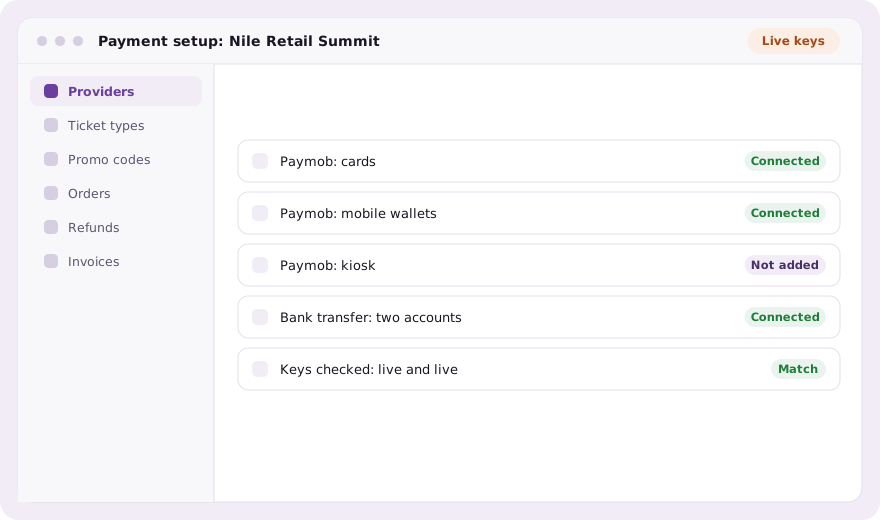
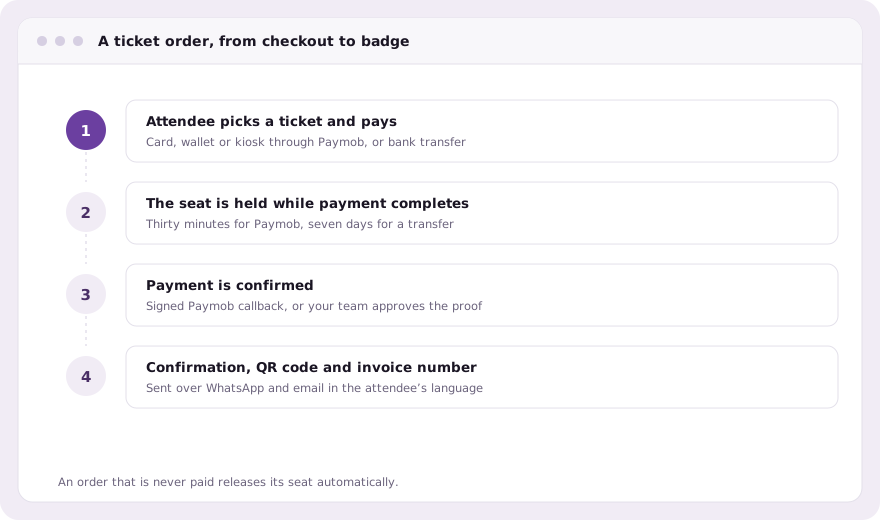
Credentials are encrypted at rest and masked wherever they are displayed. Each payment is confirmed by Paymob’s signed callback, not by the attendee’s browser coming back, so a closed tab does not lose a paid order.
Step 2: add bank transfer as a real option
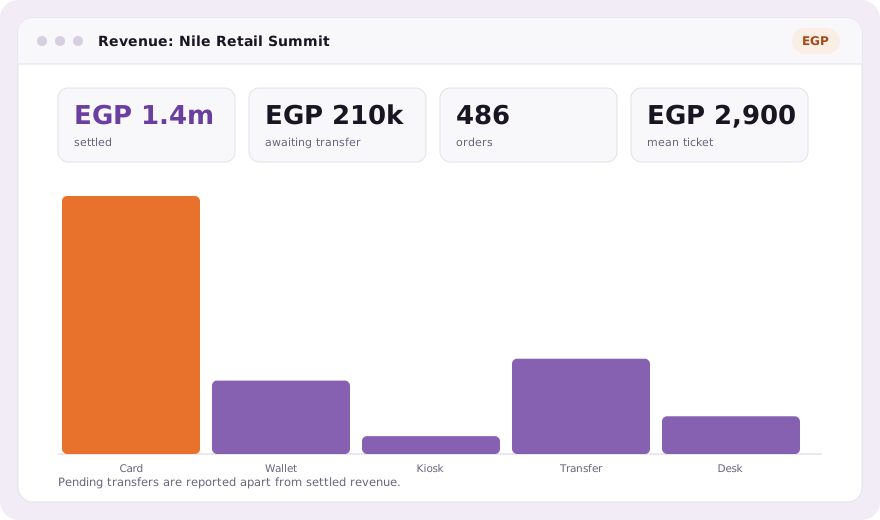
Many companies and government bodies here pay by transfer. Add your bank accounts and instructions, and an attendee who chooses transfer uploads proof of payment. Their seat is held for seven days while your team confirms the receipt. A card checkout holds the seat for thirty minutes. Pending transfers are shown as a queue, separate from money already settled.
Step 3: sell at the desk on the day
Walk-ins pay in cash, by card on a terminal you already have, or by transfer. Your team records the method and the sale becomes an ordinary paid order: same invoice sequence, same promo codes, same reports. Pressing the button twice on a moving queue does not charge anyone twice.
Group bookings, refunds and invoices
- A coordinator can book a delegation and pay once; each person still gets their own QR code
- Card refunds go back through Paymob from the order itself
- Every paid order gets a number from the event’s own invoice sequence
- Orders export to CSV for finance, in the venue’s clock
Common questions
Does the ticket money go to evenclo?
No. You connect your own Paymob account, so card, wallet and kiosk payments settle into it directly. Bank transfers go to the accounts you list.
Can attendees pay with a mobile wallet or at a kiosk?
Yes, if you add the mobile wallet and kiosk integration IDs from your Paymob account. Leave them blank to offer cards only.
How long is a seat held while someone pays?
Thirty minutes for a Paymob checkout, and seven days for a bank transfer awaiting confirmation. Unpaid orders release their seats.
Does evenclo issue ETA e-invoices?
No. evenclo numbers invoices in your event’s own sequence. Reporting to the Egyptian Tax Authority is handled by your own systems.
Book a demo Thirty minutes, screen shared, in Arabic or English.