The night before an event, somebody is in a document application making a speaker badge look different from a visitor badge, one at a time, from a list that changed twice that afternoon. It is entirely avoidable work, and it is where the wrong name gets printed on the wrong lanyard.
In evenclo every badge is a template row, assigned per attendee type. A new badge type is a new attendee type and a template, not new code and not an evening of layout.
The template knows who it is for
Each attendee type points at its own badge template. Speakers print with a different band, exhibitor staff carry their booth number, students carry nothing they should not. Nobody sorts a print run by hand, because the sorting is a property of the record.
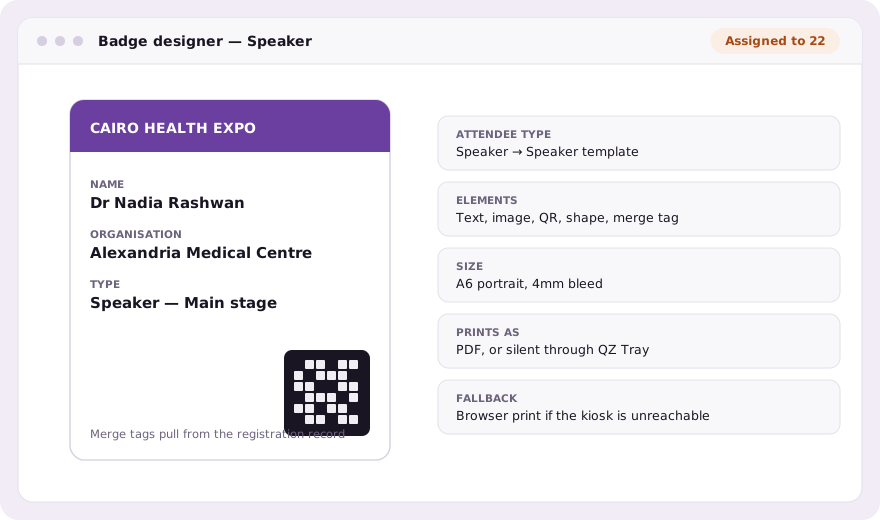
Merge tags, not copy and paste
Fields on the badge are merge tags that read the registration record: the name they typed, the company they gave, the ticket they bought. Change a name in the attendee list and the badge is correct the next time it prints. There is no export, no mail-merge file and no second version of the truth.
The badge printing kiosk at the desk
The kiosk page drives the printer. With QZ Tray it prints silently, which is what a desk clearing one person every few seconds actually needs; without it, printing falls back to the browser rather than stopping. Falling back is the important half: a print path that fails closed empties a hall into a corridor.
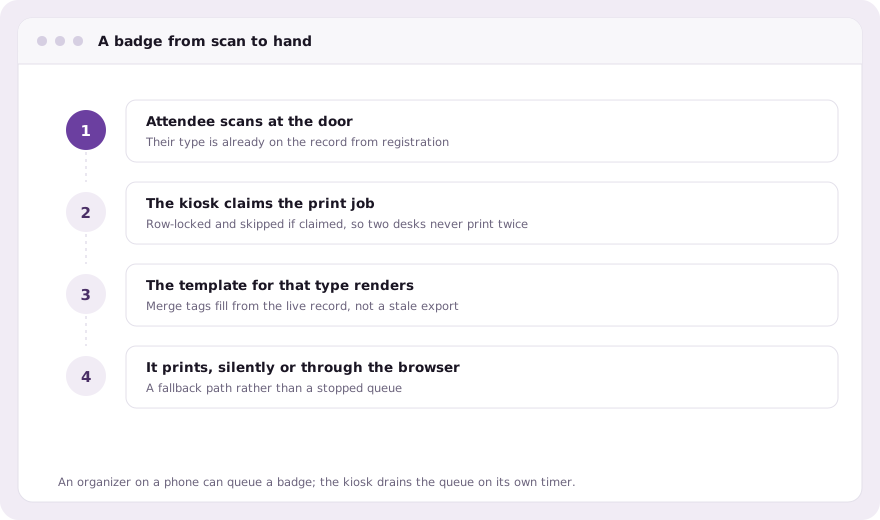
Print this one at the desk
A printer sits on the machine running the kiosk, and a phone in the hall cannot reach it. So the organizer app leaves a row in a print queue and the kiosk drains it on the same timer it already uses for its own offline queue. Jobs are claimed with a row lock and skipped if already claimed, so two badge desks never print one badge twice.
- Elements: text, images, shapes, QR codes and merge tags
- Per-attendee-type assignment, with a default for everything else
- Test print before the run, against a real record
- Arabic badges with the correct direction, face and numerals
- Reprint from the attendee list when a badge is lost
The QR code on the badge is the same code QR code check-in reads at the door and the same code an exhibitor scans at a stand. One credential, three uses, which is why a badge is worth designing properly rather than treating as stationery.
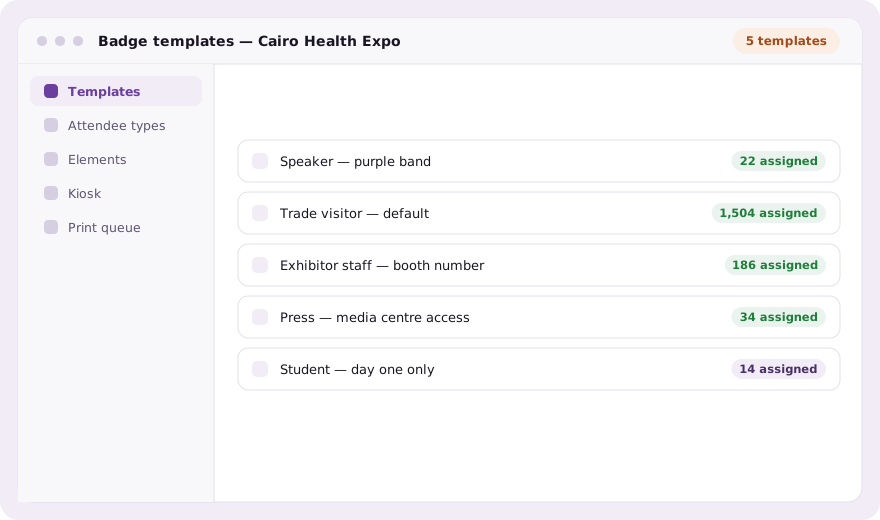
Five templates, not fifteen hundred layouts
An event with five attendee types needs five badge templates, whatever the size of the guest list. That is the whole economy of the arrangement: the work is proportional to the number of kinds of person at your event, not to the number of people, and it does not grow on the morning when two hundred more register.
A lost badge stops working
A badge is a credential: its QR code opens the door, and the attendee’s agenda, meetings and certificates. When one is lost, reissue it from the attendee’s record or from the staff app. A new code is issued, the old one stops matching anything, the attendee’s app is signed out, and the new badge goes to the print queue. Their check-in history is untouched, because they did attend.
Common questions
Can different attendee types have different badges?
Yes. Every attendee type points at its own badge template, so speakers, visitors and exhibitor staff print differently with no manual sorting.
How does the badge printing kiosk work?
It is a page you leave open at the badge desk. With QZ Tray or the print agent it prints silently; without either, printing falls back to the browser rather than stopping.
Can two desks print the same badge twice?
No. Print jobs are claimed with a row lock that skips already-claimed rows, so concurrent desks drain the same queue safely.
Book a demo Thirty minutes, screen shared, in Arabic or English.