The question asked most at any event is not about the programme. It is “where is that?”, asked at the registration desk, at the information point and of every steward in a lanyard, all day. A printed map at the entrance answers it for the first ten minutes, until someone needs Hall 3, level two, stand C14.
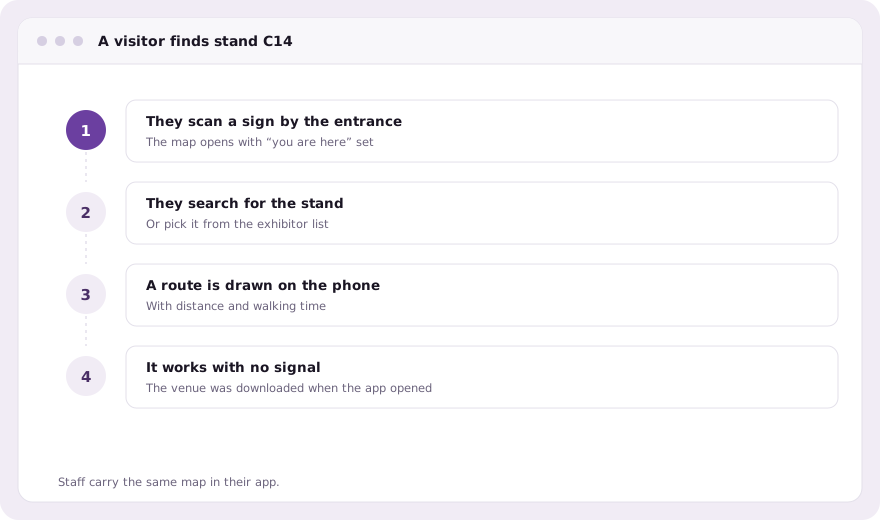
evenclo’s venue map answers it on the visitor’s own phone, with a route drawn from where they are standing to the place they need.
Drawn once for the venue, reused by every event
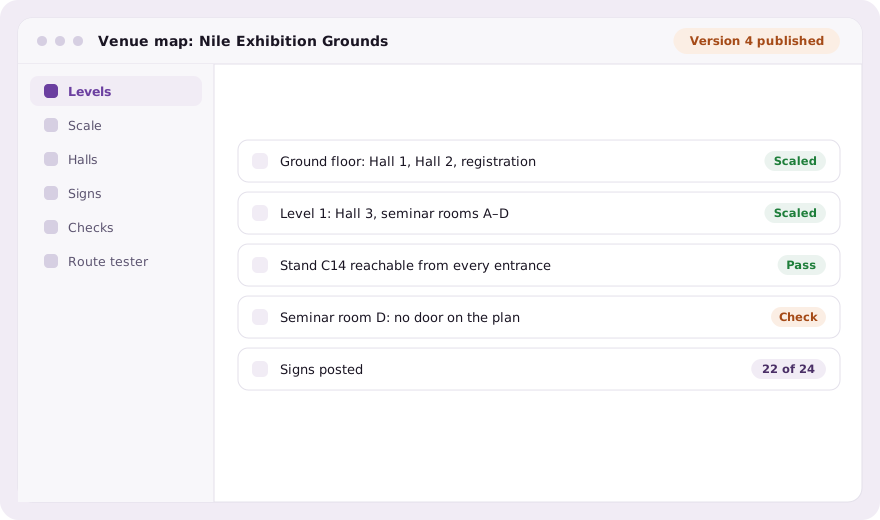
The building is mapped once: its buildings, its levels, and a plan drawing for each level, scaled by clicking two points of known distance. An architect’s DXF, DWG or vector PDF can be imported, and its layers become walls, rooms and booth outlines you accept or discard. Each event then pins a published version of the venue and adds only what is its own: closures, temporary walls, a lounge that exists for three days.
Booths and seats stay where they are edited
Exhibition halls and seating rooms are placed on the level rather than redrawn. Booths are still sold and assigned on the floor plan, and seats are still given out on the seating plan; the venue map shows both in their real positions. Rename a ballroom and every route to it follows. A stand that moves on the floor plan is routed to where it now is.
Routing on the phone itself
The attendee app downloads the venue once and works out routes on the device, so directions still work in a basement hall where the network gives up. A route gives the walking distance and time, between levels too, using the stairs and lifts you placed.
- Directions to a stand, a hall, a session room or an assigned seat
- QR signs around the venue that set “you are here” when scanned
- Printable A4 and A3 sign sheets with English and Arabic labels
- A route tester that shows the real route, distance and walking time
- A check that names anything that cannot be reached from an entrance
Checked before the doors open
A network that is wrong is invisible until somebody is lost in it. Before publishing, the venue is checked for anything that cannot be reached: a room with no door, a stand walled in by a closure. On the day, staff can mark each sign as posted by scanning it, walk any route, and flag a problem that appears on the organiser’s screen exactly where it is.
Common questions
Do directions work without wifi?
Yes. The attendee app downloads the venue and works out routes on the phone, so directions keep working when the hall network is down.
Do I have to redraw booths on the venue map?
No. Halls and seating rooms are placed on the level, and booths and seats keep being edited on the floor plan and seating plan.
Is attendees’ location tracked?
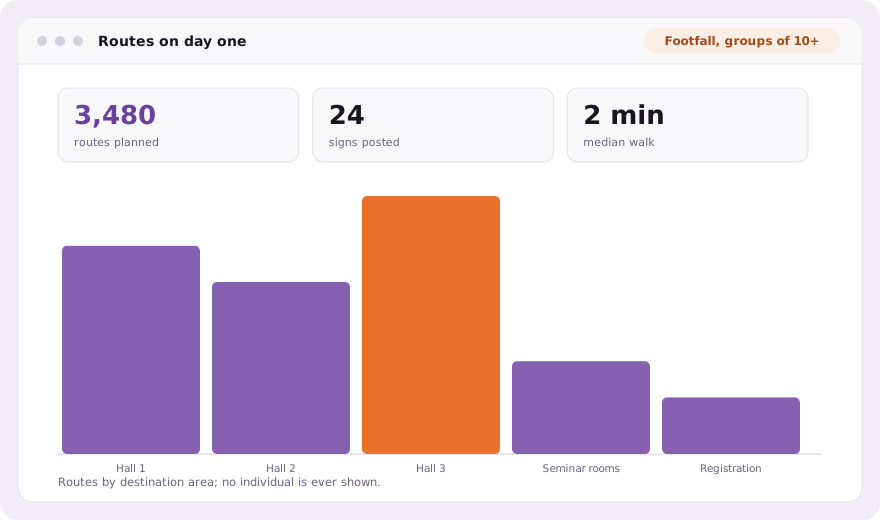
Not by default. Location sharing, footfall analytics and proximity alerts are off until you enable them, and each needs the attendee’s own consent.
Book a demo Thirty minutes, screen shared, in Arabic or English.