An event platform holds an attendee list, payment settings and, for a congress, unpublished research. It is also used by temporary staff on borrowed laptops, a finance contact who signs in twice a year and a client who wants to watch the numbers. Security here is less about a lock on the front door and more about each of those people reaching exactly what they need.
Six roles, checked on every request
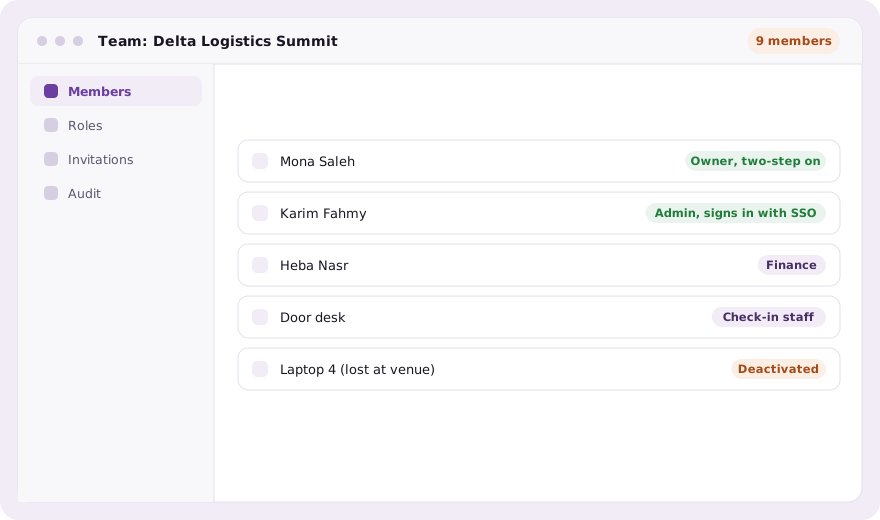
Owner, admin, finance, check-in staff, viewer, and a scientific committee role that sees only submissions and reviews. The role is read from the database on every request, not trusted from the sign-in session, so changing someone’s role or deactivating them takes effect on their next click. That is the right move the moment a laptop goes missing at a venue.
A second step for the people who can change everything
Owners and admins sign in with a password and then a six-digit code from an authenticator app on their phone. Enrolment happens at sign-in, with a QR code to scan, so nobody is thrown out of a working session to set it up. There are no printed backup codes, because a list of codes is a second password that can also be lost; a lost phone is reset by a colleague or by evenclo after confirming who you are.
Single sign-on with your company account
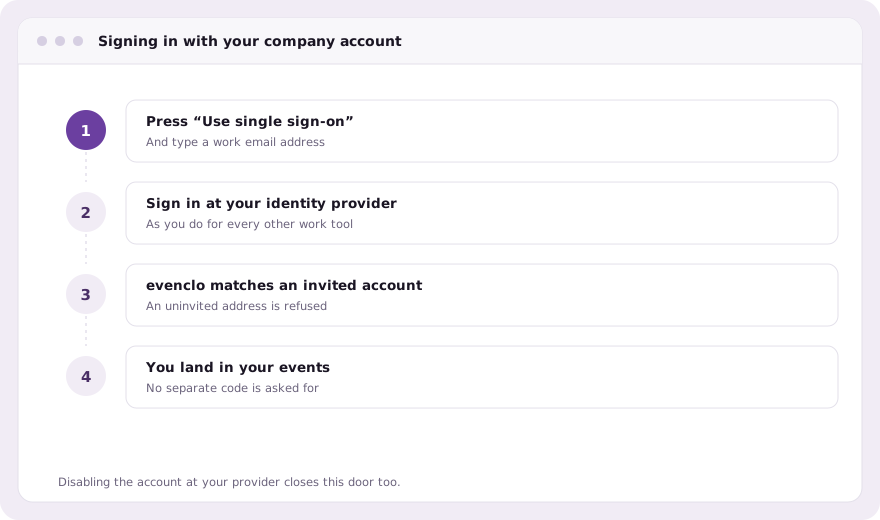
Your team can sign in through Okta, Microsoft Entra, Google Workspace or any SAML or OpenID Connect provider. When IT disables someone’s account, they lose access to evenclo with it. Signing in through your provider counts as the second step.
- No accounts are created by sign-in: only people already invited to your workspace get in
- Single sign-on can be required for your email domain
- Owners keep a password route in, for the day the identity provider is down
- Connections are set up with evenclo, not toggled by anyone in the dashboard
Every change, on a record nobody can edit
Every successful change made in the dashboard writes one line to the audit trail: who, when, and which record. Sign-in bodies are never stored, so a password can never end up in a log. Richer entries record a team invitation with the role before and after, or a failed sign-in. The trail is append-only at the database itself, and only owners and admins can read and export it.
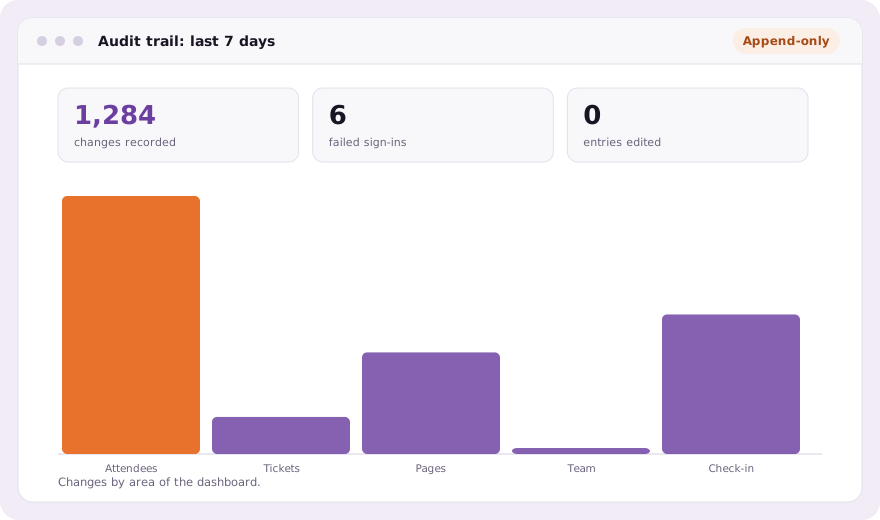
When a sponsor asks who changed their package, or a client asks who moved a session the night before, the answer is a filtered list rather than a round of messages. The same trail can be narrowed to one event and exported as a CSV for your own records.
Common questions
Is two-step sign-in required?
For owners and admins, yes. Other roles sign in with a password, or with single sign-on if your company uses it.
Which identity providers work with single sign-on?
Okta, Microsoft Entra, Google Workspace and any provider that speaks SAML or OpenID Connect.
Can the audit trail be changed?
No. It is append-only at the database, and reading or exporting it is limited to owners and admins.
Book a demo Thirty minutes, screen shared, in Arabic or English.